
No coding needed
0% fees on orders
The storefront your baking deserves.
Accept payments your way
Secure credit card processing for bakeries via Stripe integration.
Cash App payment option for home-based bakery storefronts.
Professional Zelle payment tracking for cottage food businesses.
Venmo payment method icon for local bakery order management.
Accept Visa credit and debit card payments for bakery orders.
Secure Mastercard checkout support for independent bakeries.
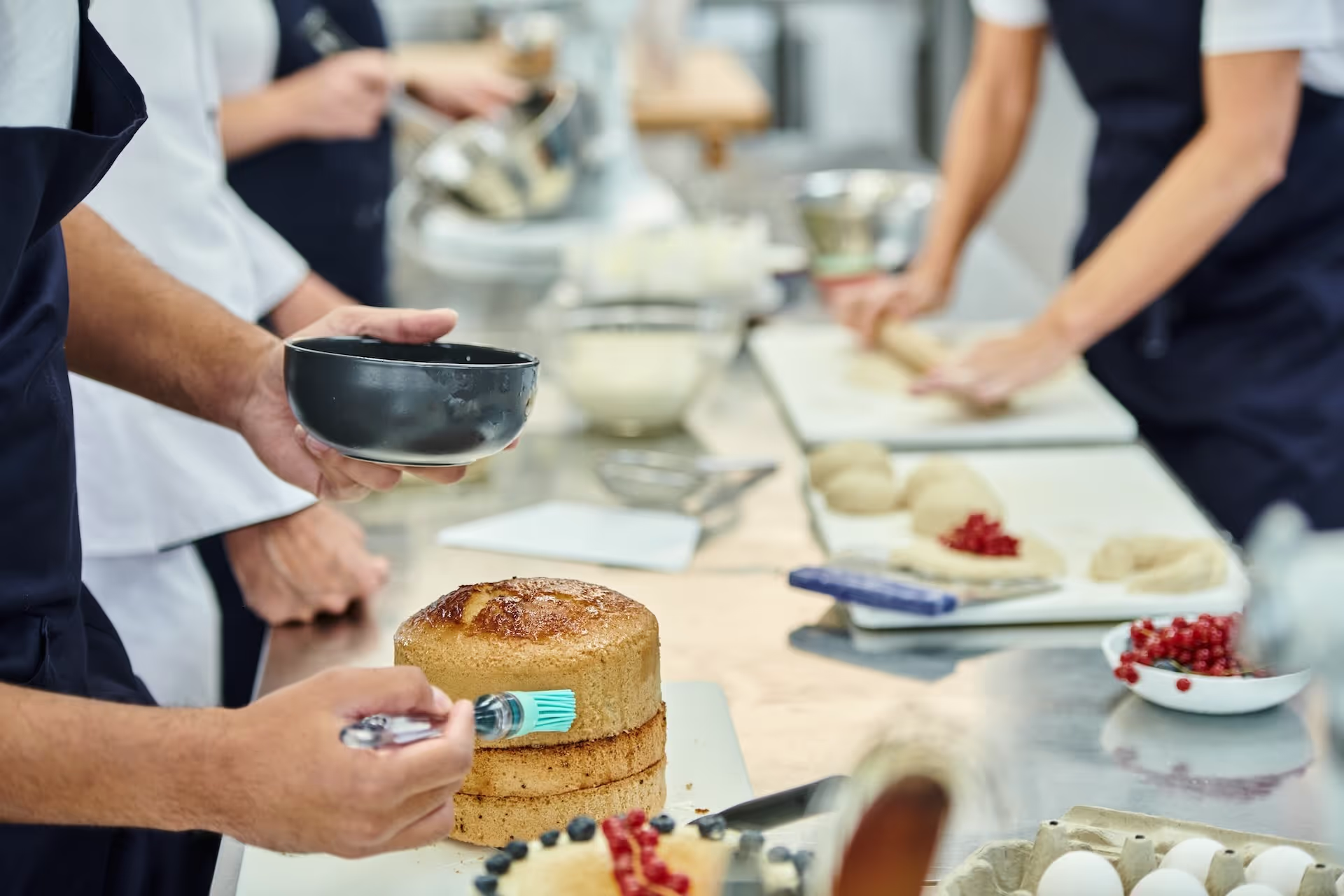
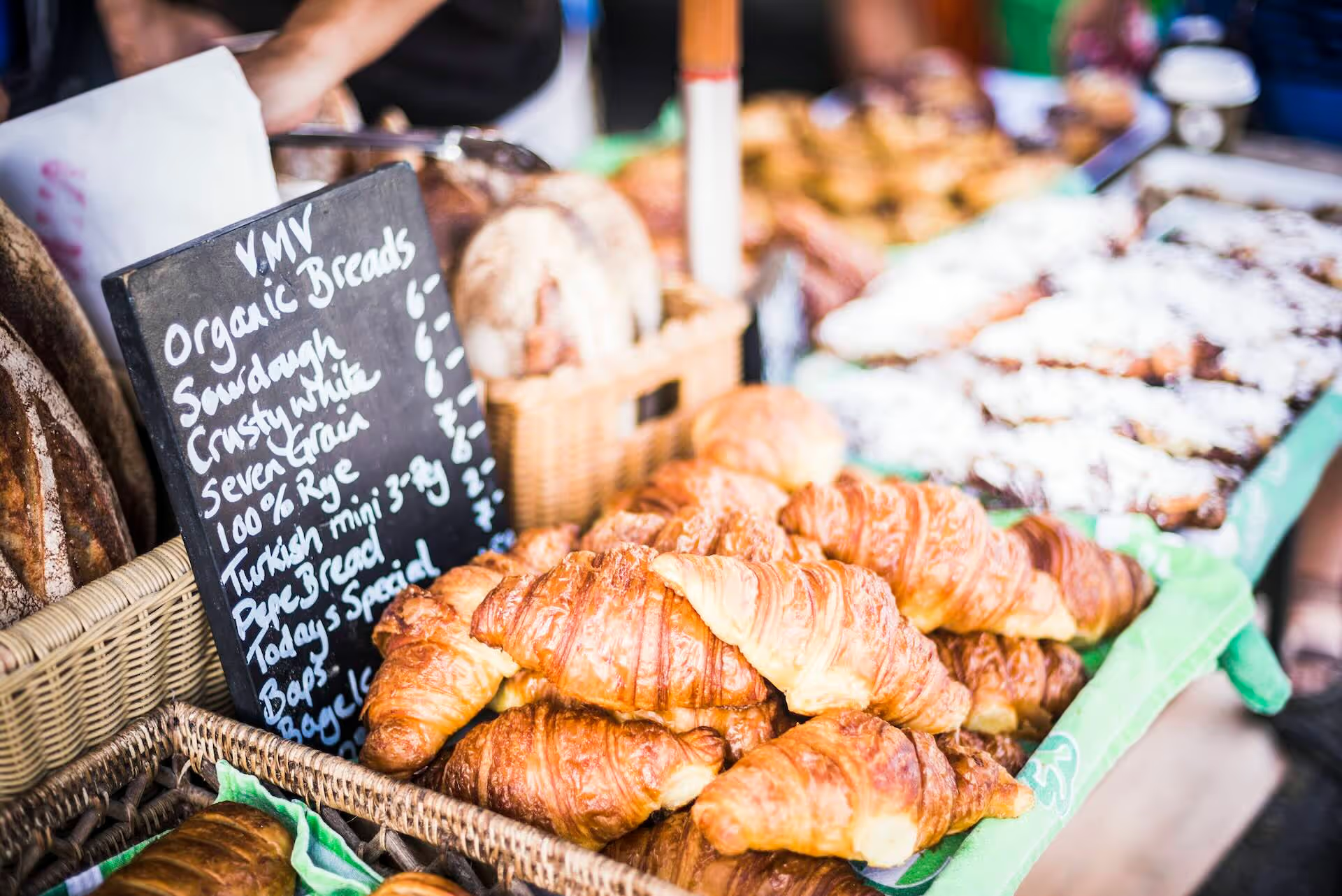
Bakery stand setup in a local farmer's market
Successful bakers displaying their baked goods ready to sell.
Bake more, stress less
Grow your dreams while we handle the rest.
Step
1
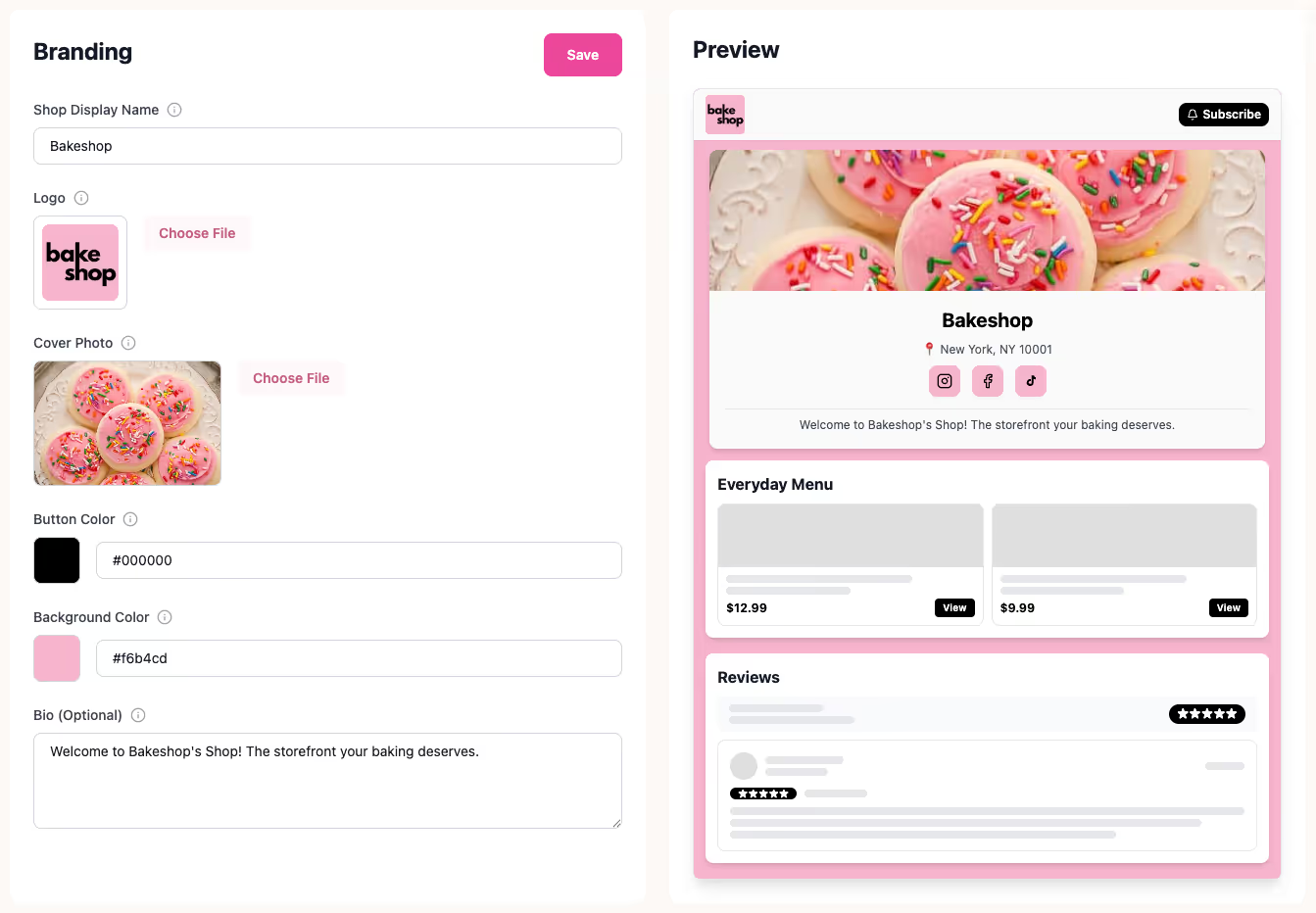
Create your shop
Claim your bake.shop link and add your logo. Your professional storefront is ready in minutes. No coding or design skills needed.
See it in action
A real-time preview of the Bakeshop setup wizard showing a baker customizing their logo, brand colors, and shop bio with no coding required.
Step
2
Drop your menu
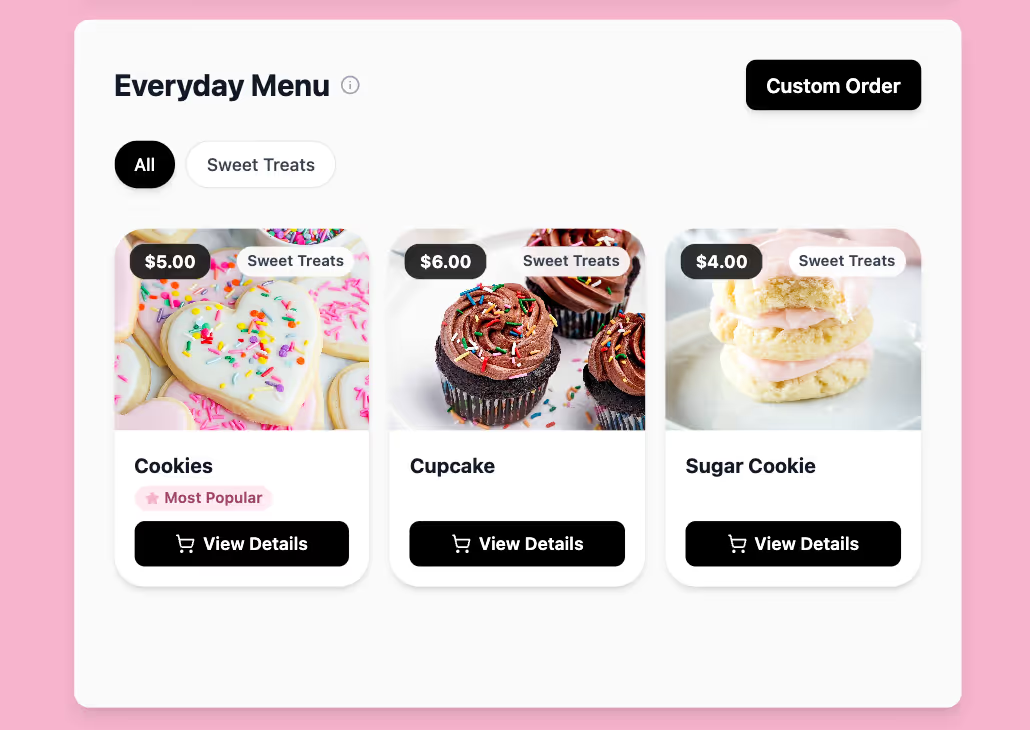
Add your items, set inventory, and customize your pickup or delivery windows. You control exactly when you bake.
See the features
Online bakery menu interface showing cupcakes and cookies with real-time inventory tracking and 'Most Popular' badges for home bakery drops.
Step
3
Open for business
Share your link and watch orders roll in. We handle the payments and receipts automatically.
Start taking orders
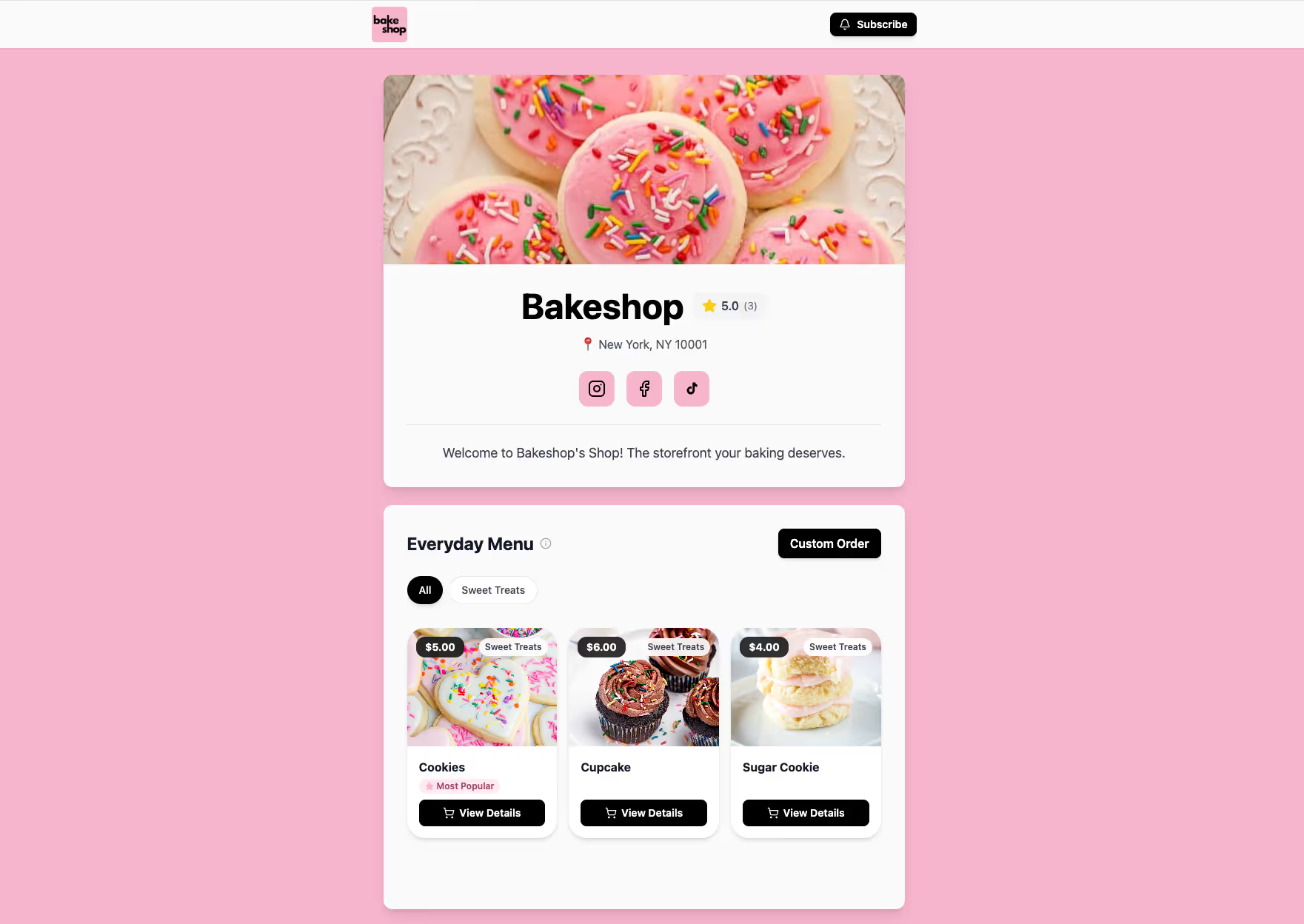
A finished Bakeshop storefront featuring a "Subscribe" button, professional menu items like cookies and cupcakes, and integrated social media links for easy sharing.
Total control. Zero chaos.
We handle the busywork so you can focus on the baking.
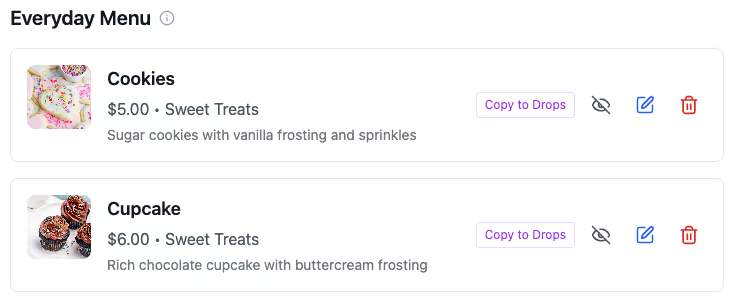
Interface for managing bakery "drops" showing a list of menu items and quick-action buttons for real-time shop updates.
Manage Menus
Launch "Drops" in seconds. Update items instantly and auto-track inventory so you never oversell.
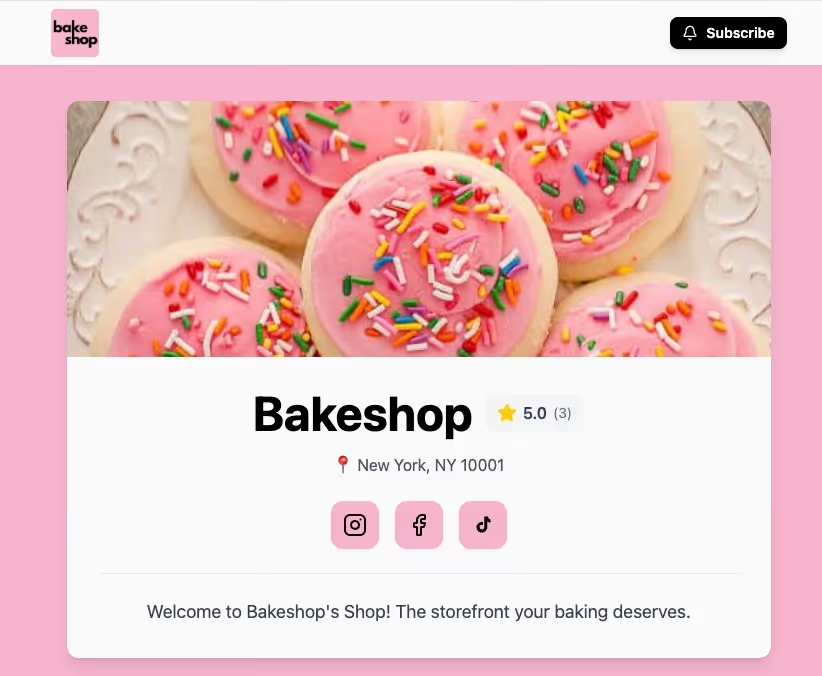
A professional home bakery storefront created with Bakeshop, featuring custom branding, a high-quality gallery, an integrated online ordering menu for customers, and a clean alternative to order forms.
Custom Branding
Ditch the generic forms. Launch a stunning storefront that reflects your unique style — no coding needed.
A visual display of accepted payment methods for home bakers including credit cards, Apple Pay, Venmo, and Cash App, integrated into a single Bakeshop storefront dashboard.
Flexible Payments
Accept credit cards instantly, or seamlessly track manual Venmo, Zelle, and Cash App payments in one place.
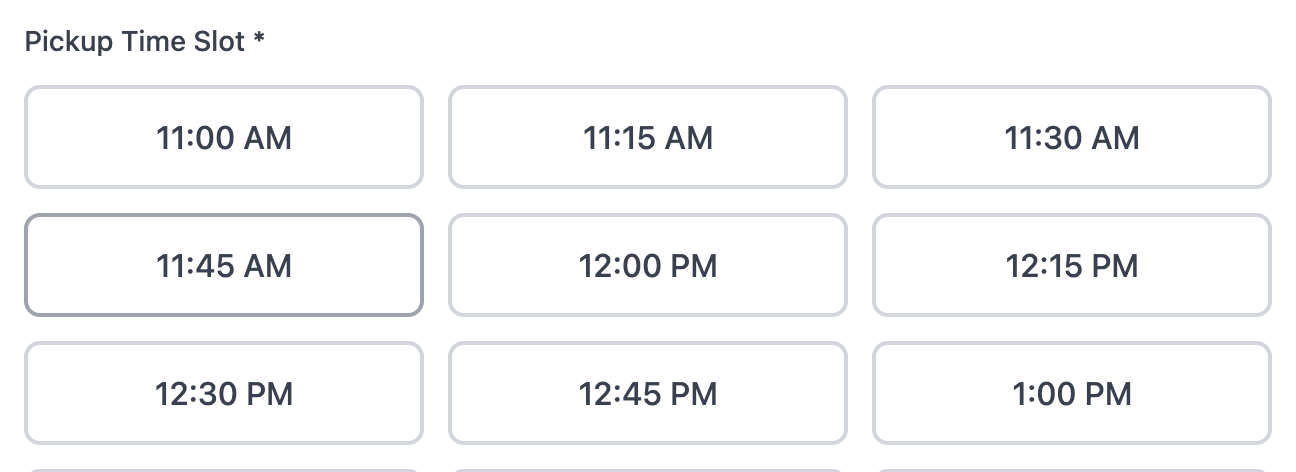
An online scheduling checkout for a home bakery showing selectable pickup and delivery time slots with automated order limits and lead time protection.
Smart Scheduling
Never overbook your oven. Automatically cap orders, pickup windows, and delivery slots to control your flow.
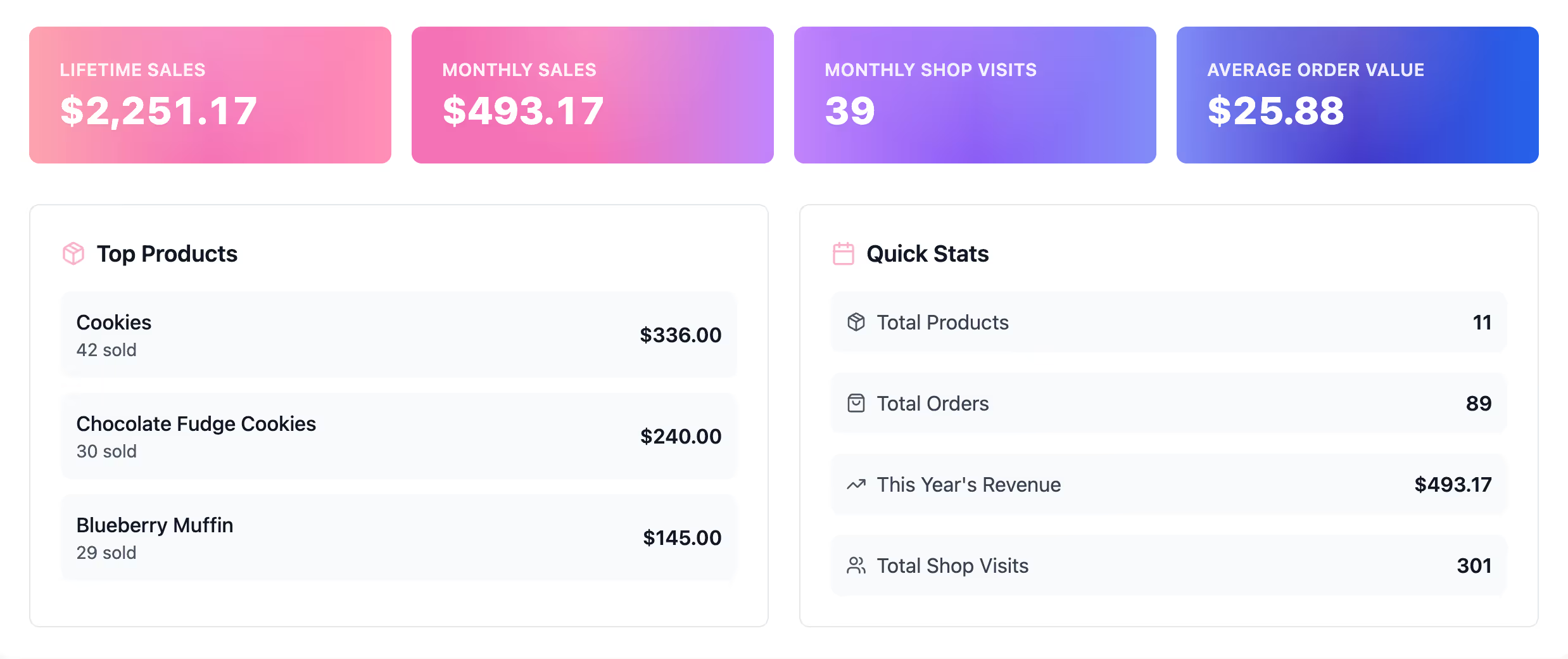
Bakery business analytics dashboard showing interactive sales trend charts, shop visitor data, and a ranking of best-selling menu items for data-driven growth.
Business Insights
Know your numbers at a glance. Track revenue, spot best-sellers, and watch your bakery grow with simple reports.
iOS and Android app icon for Bakeshop, representing a mobile command center for home bakers to manage orders, update menus, and receive push notifications on the go.
Mobile App
Run your shop from anywhere. Manage orders, check prep lists, and update customers right from the kitchen.
Are there really zero commissions?
Arrow

Yes. Bakeshop does not take a cut of your sales. You keep 100% of the revenue you earn.*
 
*If you choose to accept credit cards via Stripe, you will be charged Stripe's payment processing fee (2.9% + 30¢), but that fee goes to Stripe, not Bakeshop.

Can I track Venmo and Zelle orders here?
Arrow

Absolutely. We know many bakers rely on peer-to-peer apps. You can enable these payment options for your shop's checkout. Your customer sees instructions, places the order, and you simply mark it as "Paid" in your dashboard once you receive the funds.

How do pickup and delivery time slots work?
Arrow

You are in total control. You set specific windows and order limits. Once a time slot is full, it automatically disappears from the checkout so you never get overbooked.

Can I cancel if it doesn't work for me?
Arrow

Of course. You can cancel your subscription at any time with a single click from your dashboard. Once cancelled, you won't be charged for any future cycles. Monthly plans are billed month-to-month, while yearly plans are billed once per year.

What happens after my 14-day free trial?
Arrow

You will have full access to every feature for 14 days. If you love it (and we think you will), your card will be charged for the plan you chose. If not, you can cancel before the trial ends and pay nothing.

Get started
Support
ArrowArrow